Deine Playlist,
endlich schön.
Your playlist,
finally beautiful.
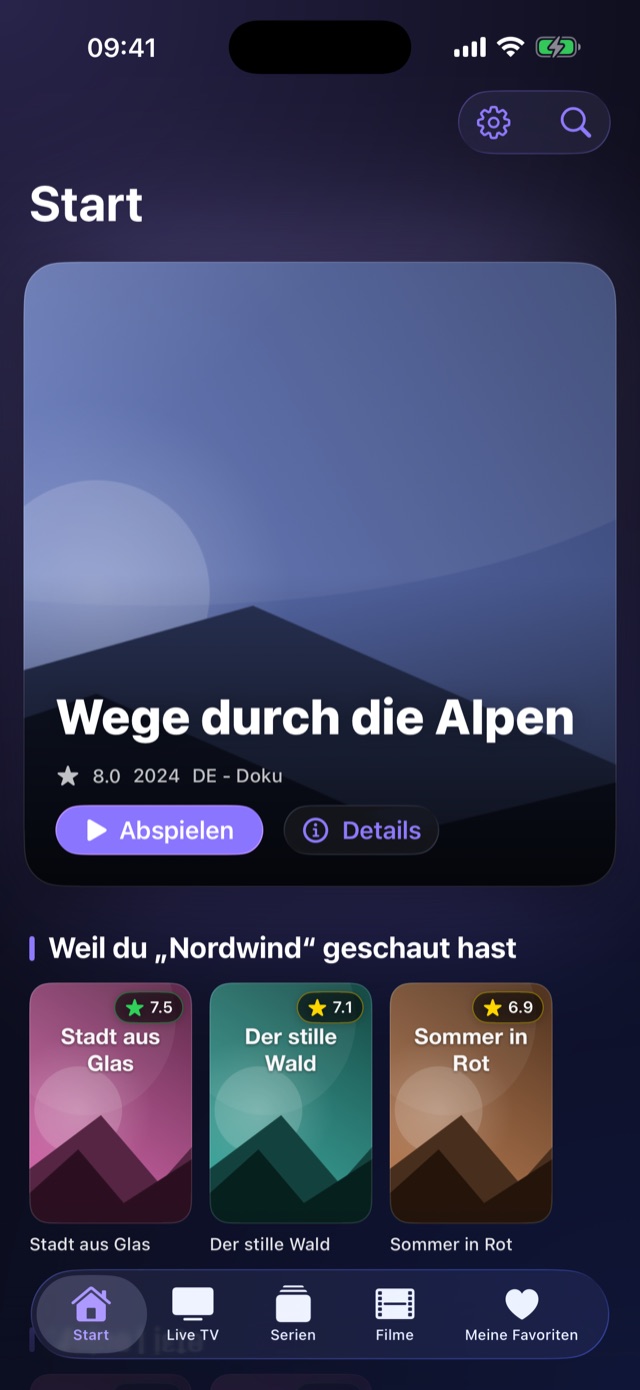
GlassTV verwandelt deine eigene M3U-Playlist oder deinen Xtream-Zugang in einen aufgeräumten Player mit Programmführer, Weiterschauen und Empfehlungen – für iPhone und iPad, demnächst auch für Apple TV und Mac. GlassTV turns your own M3U playlist or Xtream account into an uncluttered player with a TV guide, resume playback and recommendations — for iPhone and iPad, with Apple TV and Mac coming soon.
Du bringst deine eigene Quelle mit You bring your own source
GlassTV enthält selbst keine Sender, Filme oder Serien und verkauft keine Abos. Die App ist ein Abspieler – vergleichbar mit einem Videoplayer. Alles, was du siehst, stammt aus der M3U-Playlist oder dem Xtream-Zugang, den du selbst einträgst. Noch keinen Zugang? Ein Tipp auf „Demo-Inhalte laden“ zeigt dir die App mit frei verfügbaren Beispielstreams. GlassTV contains no channels, movies or series of its own and sells no subscriptions. The app is a player — think of it like a video player. Everything you see comes from the M3U playlist or Xtream account you enter yourself. Don't have one yet? Tapping “Load demo content” shows you the app running on freely available sample streams.
Ein Blick in die App A look inside the app
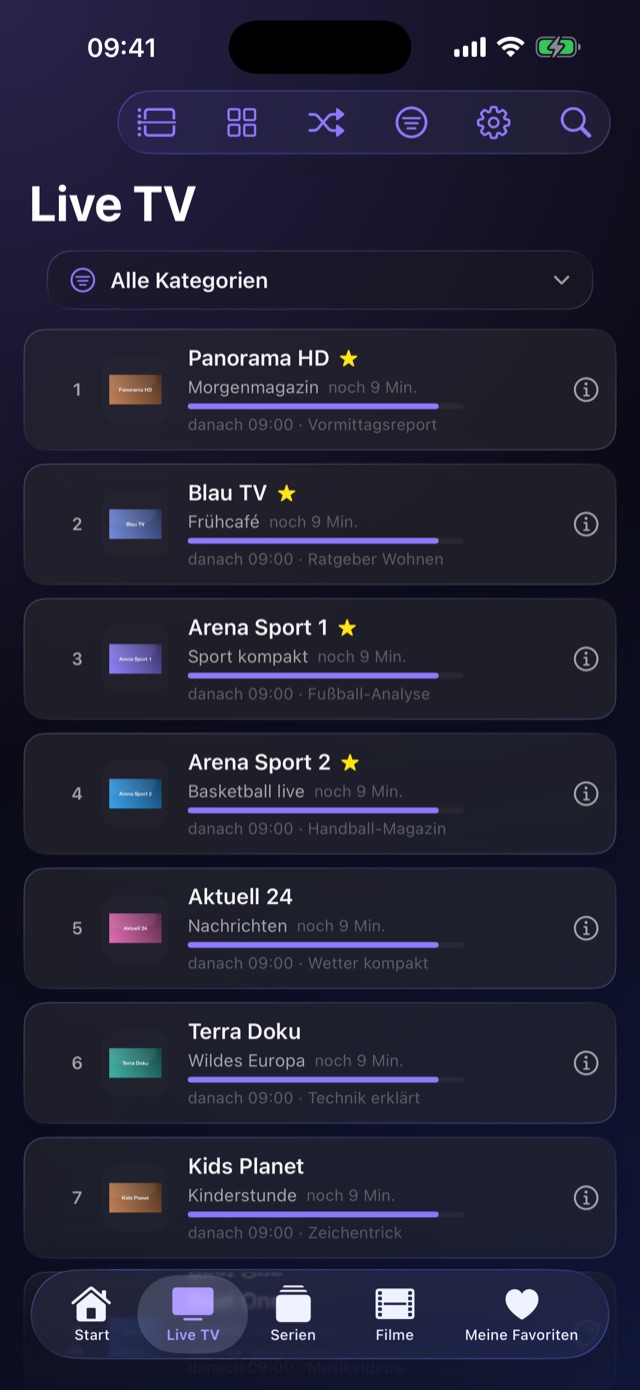
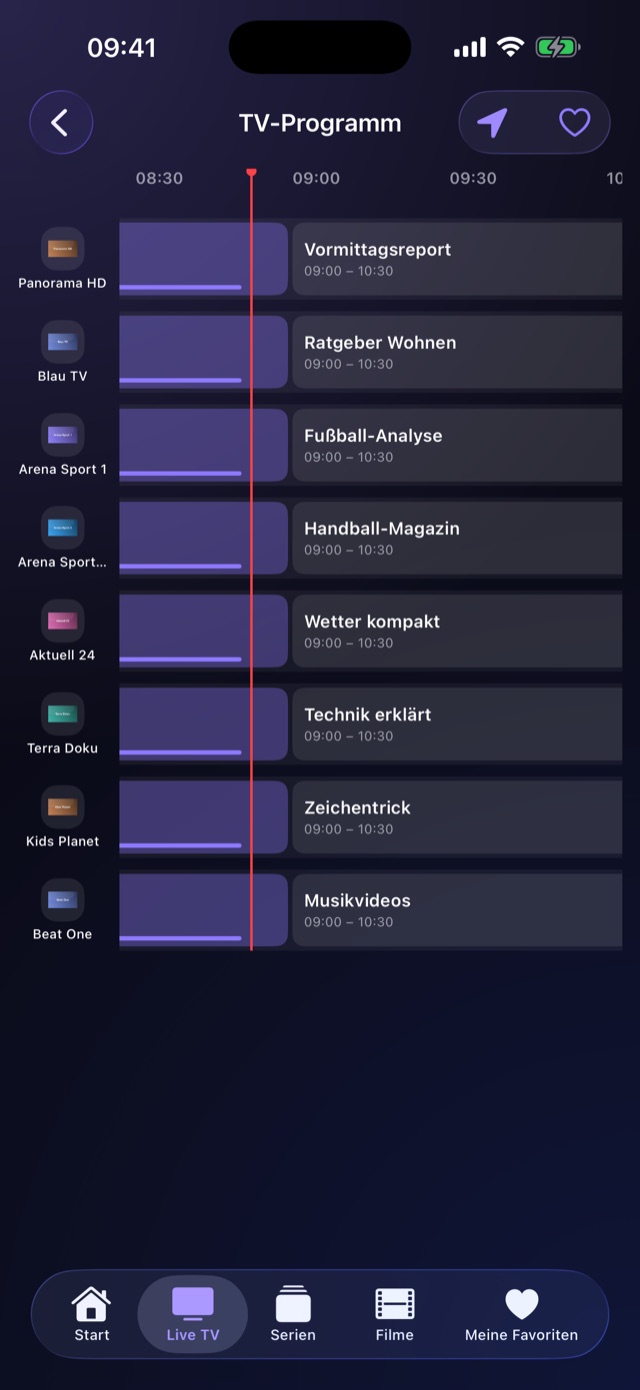
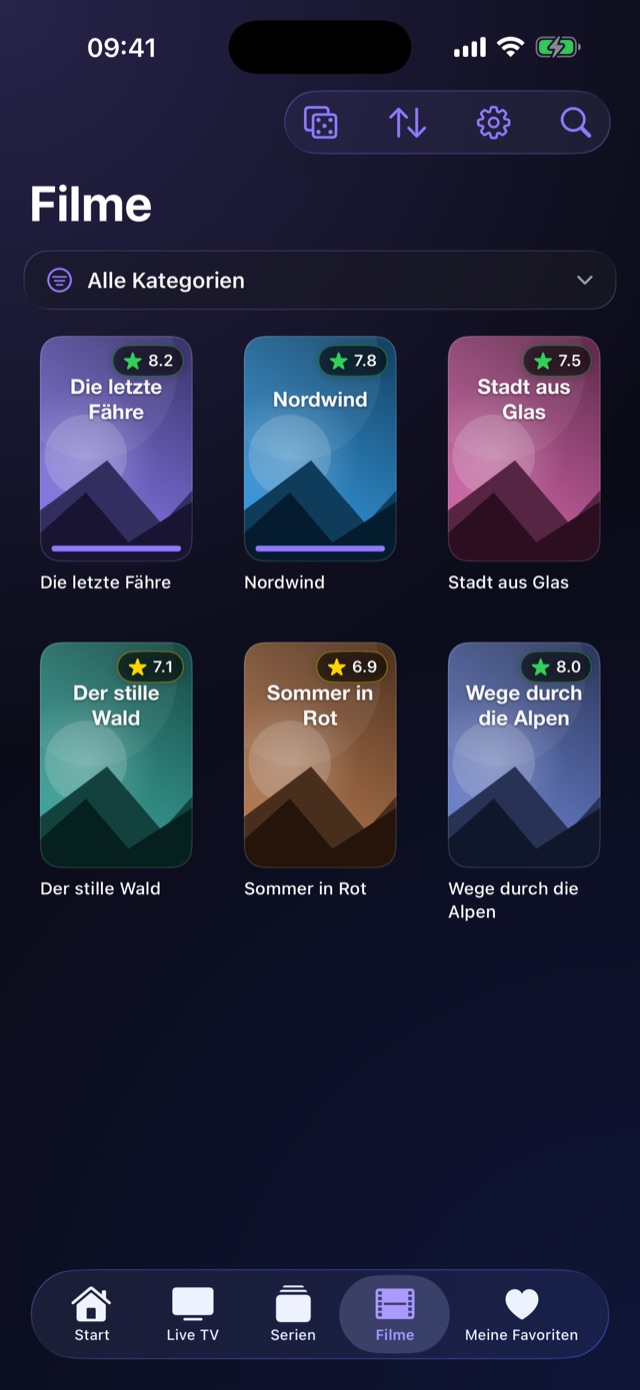
Sechs Ansichten aus GlassTV – zum Wischen. Six views from GlassTV — swipe through them.
Alles drin, nichts im Weg Everything in, nothing in the way
Von der Playlist bis zum Sleep-Timer – ohne Konto, ohne Abo, ohne Werbung. From playlist to sleep timer — no account, no subscription, no ads.
M3U & XtreamM3U & Xtream
Playlist-URL einfügen oder Xtream-Zugangsdaten eintragen – Sender, Filme und Serien landen inklusive Kategorien in der App. Beliebig viele Quellen parallel. Paste a playlist URL or enter your Xtream credentials — channels, movies and series arrive complete with categories. Add as many sources as you like.
ProgrammführerTV guide
XMLTV-EPG als Zeitraster über alle Sender, mit Suche, Erinnerungen fünf Minuten vor Sendungsbeginn und einem Zeitversatz pro Quelle. XMLTV EPG as a timeline across every channel, with search, reminders five minutes before a programme starts and a per-source time offset.
WeiterschauenResume playback
Jeder Film und jede Folge merkt sich die Position. Die nächste Episode startet auf Wunsch automatisch, Fortschrittsbalken zeigen dir, wo du stehst. Every movie and episode remembers where you stopped. The next episode can start automatically, and progress bars show you how far you got.
EmpfehlungenRecommendations
Aus deinem Verlauf entstehen Regale wie „Weil du … geschaut hast“ – rein auf dem Gerät berechnet. Die Startseite stellst du dir aus acht Regalen selbst zusammen. Your history turns into shelves like “Because you watched …” — calculated entirely on your device. Build your home screen from eight shelves as you like.
Profile & KindersicherungProfiles & parental controls
Bis zu fünf Profile mit eigenen Favoriten, Merklisten und Empfehlungen. Per PIN lassen sich einzelne Kategorien komplett ausblenden. Up to five profiles, each with its own favourites, watchlist and recommendations. A PIN can hide entire categories completely.
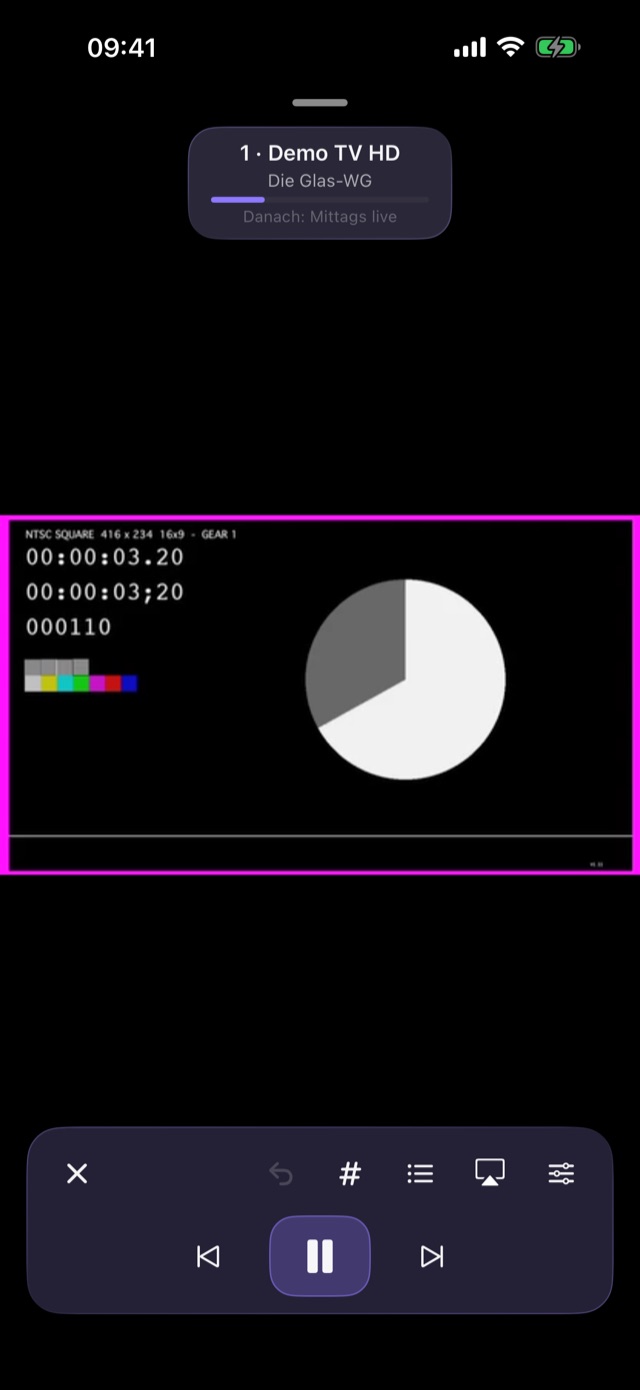
Mini-Player & PiPMini player & PiP
Wiedergabe minimieren und weiterstöbern, frei verschiebbar und in der Größe verstellbar. Dazu Bild-in-Bild, AirPlay und Steuerung vom Sperrbildschirm. Minimise playback and keep browsing — freely movable and resizable. Plus Picture in Picture, AirPlay and lock-screen controls.
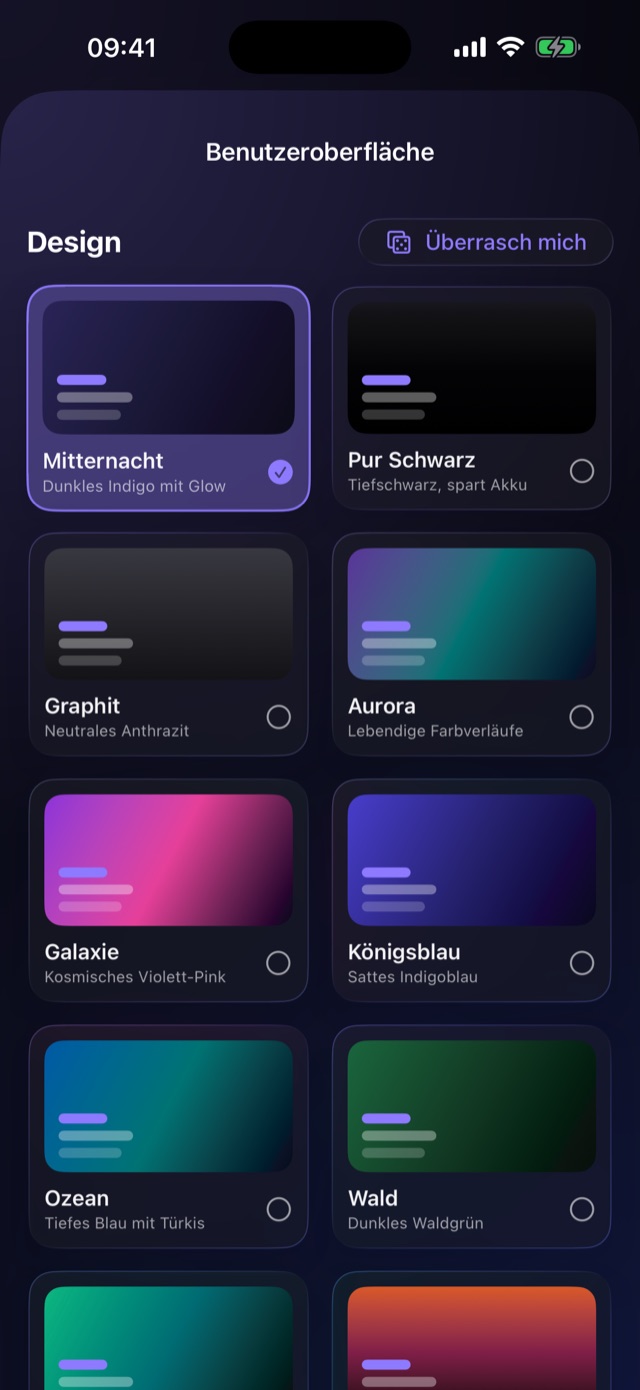
22 Designs22 themes
Hell oder dunkel, von Arktis bis Vulkan – dazu 25 Akzentfarben und eine frei wählbare eigene Farbe. „Überrasch mich“ würfelt dir eine Kombination. Light or dark, from Arctic to Volcano — plus 25 accent colours and one of your own choosing. “Surprise me” rolls a combination for you.
Spielt fast allesPlays nearly anything
Zwei Wiedergabe-Engines arbeiten zusammen: Was der Apple-Player nicht kann – etwa MKV – übernimmt automatisch VLC, an genau derselben Stelle. Two playback engines work together: whatever Apple's player can't handle — MKV, for instance — is picked up automatically by VLC, at exactly the same position.
Backup & iCloudBackup & iCloud
Einrichtung als Datei exportieren und auf dem nächsten Gerät einspielen. Optional gleicht iCloud deine Quellen und Favoriten zwischen deinen Geräten ab. Export your setup to a file and restore it on the next device. Optionally, iCloud syncs your sources and favourites between your devices.
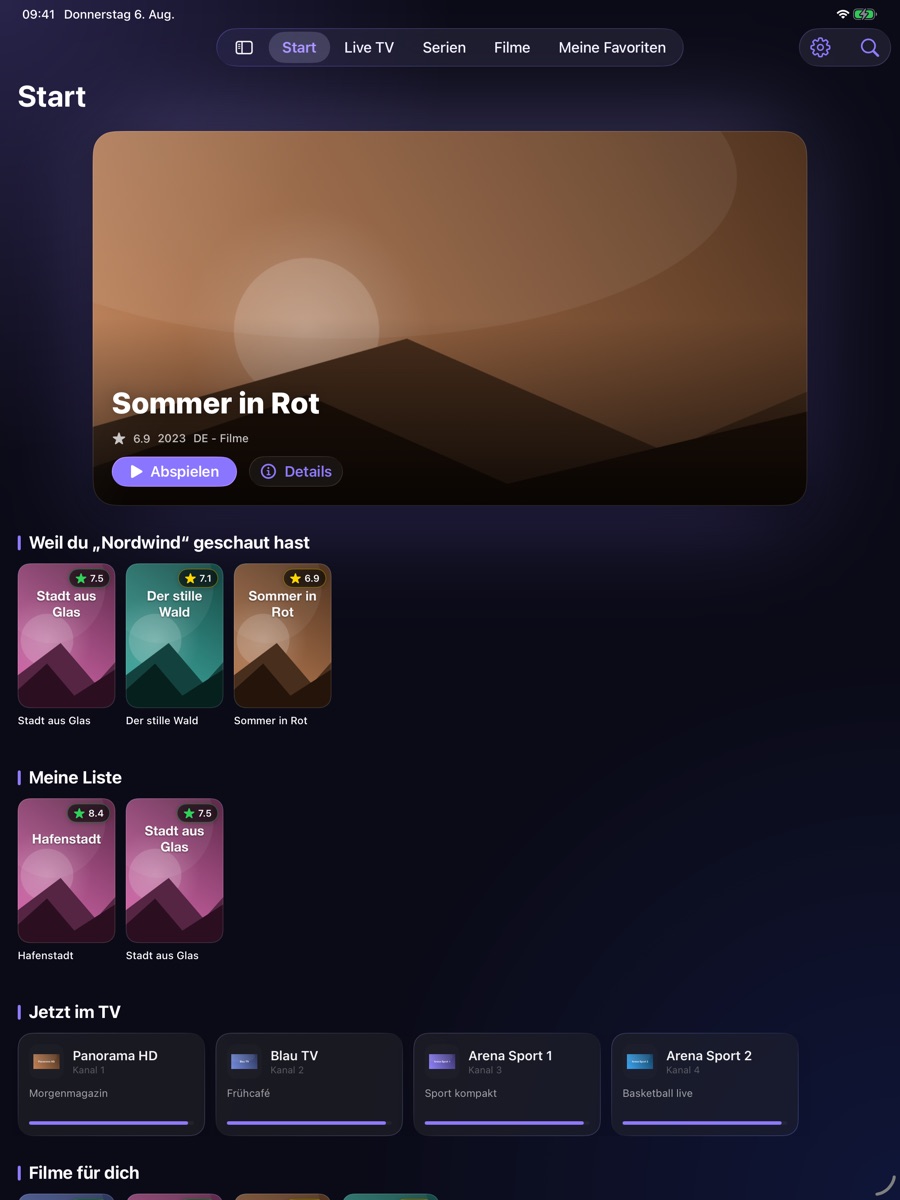
Auf dem iPad mit Seitenleiste On iPad, with a sidebar
Dieselbe App, an den größeren Bildschirm angepasst: Die Tab-Leiste wird zur Seitenleiste, Cover bekommen mehr Platz, der Programmführer zeigt mehr Stunden auf einmal. The same app, adapted to the larger screen: the tab bar becomes a sidebar, posters get more room, and the TV guide shows more hours at once.
- Ein Kauf, beide Geräte – die App ist ohnehin gratis
- Favoriten und Verlauf per iCloud abgleichen
- Erfordert iOS bzw. iPadOS 26 oder neuer
- One app, both devices — and it's free anyway
- Sync favourites and history via iCloud
- Requires iOS or iPadOS 26 or later
Bald auch auf dem großen Bildschirm Coming to the big screen
Fassungen für Apple TV und Mac sind fertig und liegen bei Apple zur Prüfung. Versions for Apple TV and Mac are finished and currently under review at Apple.
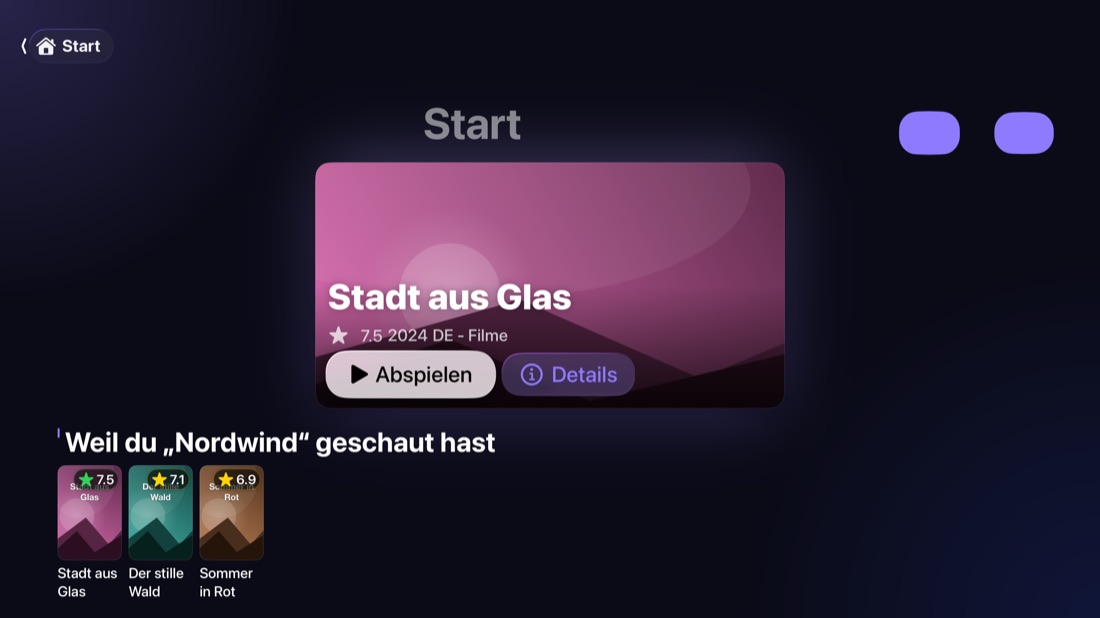
Fürs Sofa gebaut Built for the couch
Bedienung komplett über die Siri Remote, dazu ein Top-Shelf-Bereich, der dein Weiterschauen direkt auf dem Home-Bildschirm zeigt. Fully operable with the Siri Remote, plus a Top Shelf area that puts your continue-watching row right on the Home screen.
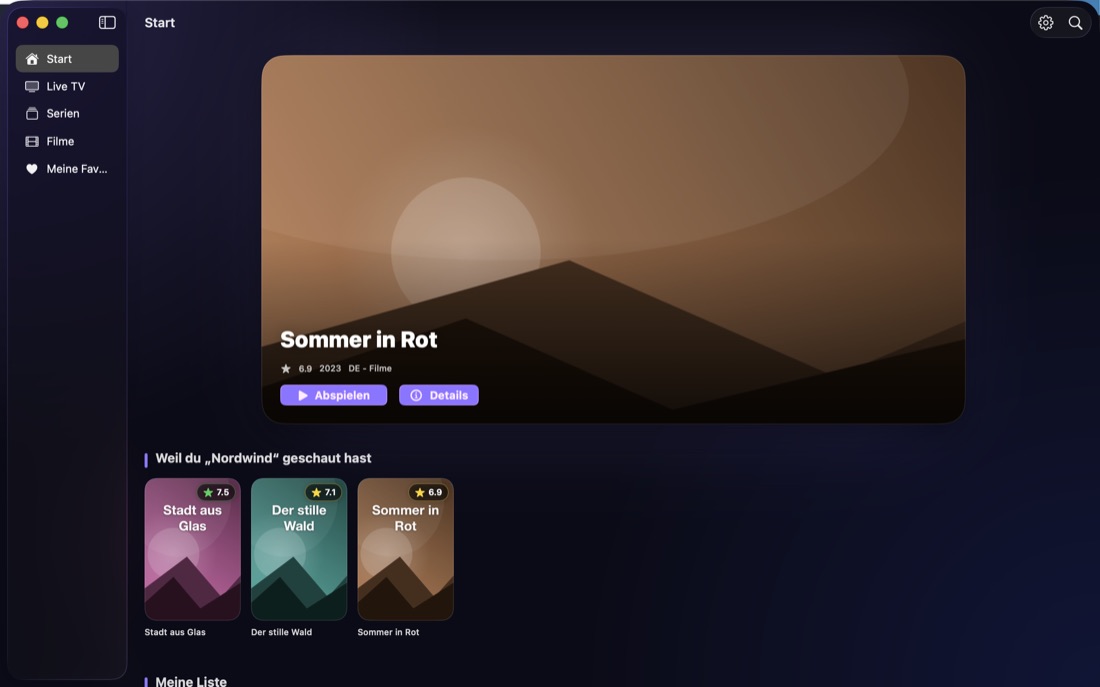
Als echtes Mac-Fenster A real Mac window
Mit Seitenleiste, Tastatursteuerung im Player und einem kleinen Player direkt in der Menüleiste – keine hochskalierte iPad-App. With a sidebar, keyboard controls in the player and a small player right in the menu bar — not a scaled-up iPad app.
Deine Daten bleiben bei dir Your data stays with you
GlassTV hat keinen Server. Es gibt nichts, wohin deine Daten fließen könnten – weil es kein Ziel dafür gibt. GlassTV has no server. There is nowhere for your data to go, because no such destination exists.
Alle Einzelheiten stehen in der Datenschutzerklärung. Full details are in the privacy policy.

Probier es aus Give it a try
Gratis im App Store, für iPhone und iPad ab iOS 26. Free on the App Store, for iPhone and iPad running iOS 26 or later.